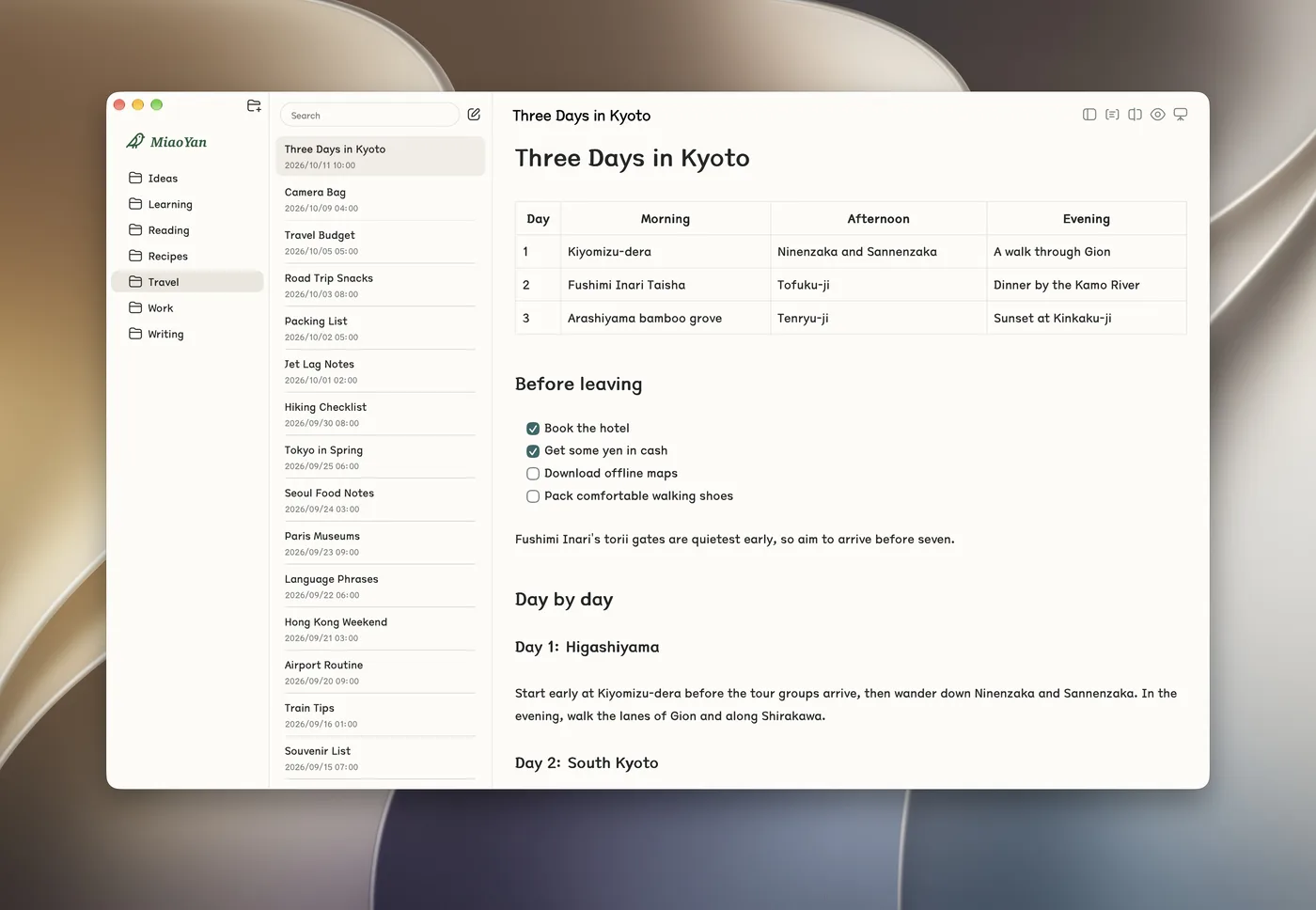
Markdown to Image
Write or paste Markdown and save it as one long picture in MiaoYan's preview style, at a phone's width or a page's, with code, tables, formulas and Mermaid diagrams drawn in.
What you get
Write or paste Markdown on the left and the right side lays it out in MiaoYan's preview style as you type. Download image saves that whole page as one PNG, with headings, lists, quotes, tables, highlighted code, formulas and Mermaid diagrams as the preview shows them. It starts at a phone's width, 375 pixels at three times the detail, so the picture is 1125 pixels wide and reads well on a phone; turn Phone width off for the 760-pixel column MiaoYan exports with, at twice the detail, for reading on a computer. When you opened a .md file whose text does not start with a top-level heading, the file name goes on top as the title, as MiaoYan's own image export does.
You can also open a .md file or drop one on the page. The shortcuts are MiaoYan's, ⌘B bold, ⌘I italic, ⌘K link and ⌘S to save the Markdown, and the last text you wrote stays in this browser.
FAQ
Can I copy the picture instead of downloading it?
Yes. Copy image puts it on the clipboard, ready to paste into a chat or a document. Browsers that cannot write a picture to the clipboard do not show the button, and the downloaded file works the same.
Why are some pictures missing?
Web pictures are downloaded by the browser and drawn into the image. Some sites do not let other pages read their pictures, and a local path such as images/a.png cannot be reached, so those stay out and the status line says how many.
Can it handle a long article?
Yes, up to the browser's canvas limit, about 32,000 pixels tall in Chrome and Safari on a computer. Past that it lowers the detail first, and if the text still does not fit it asks you to split it and make an image of each part. iPhone and iPad allow less.
Is my text uploaded?
No. The image is made in your browser and nothing is sent to a server; only the web pictures in the text load from their sites.
Write it in MiaoYan
MiaoYan is a Markdown notebook for Mac, iPhone and iPad that keeps every note as a plain .md file, and on the Mac, Export > Image saves a note as this same kind of long picture.
View in App Store