Markdown Viewer
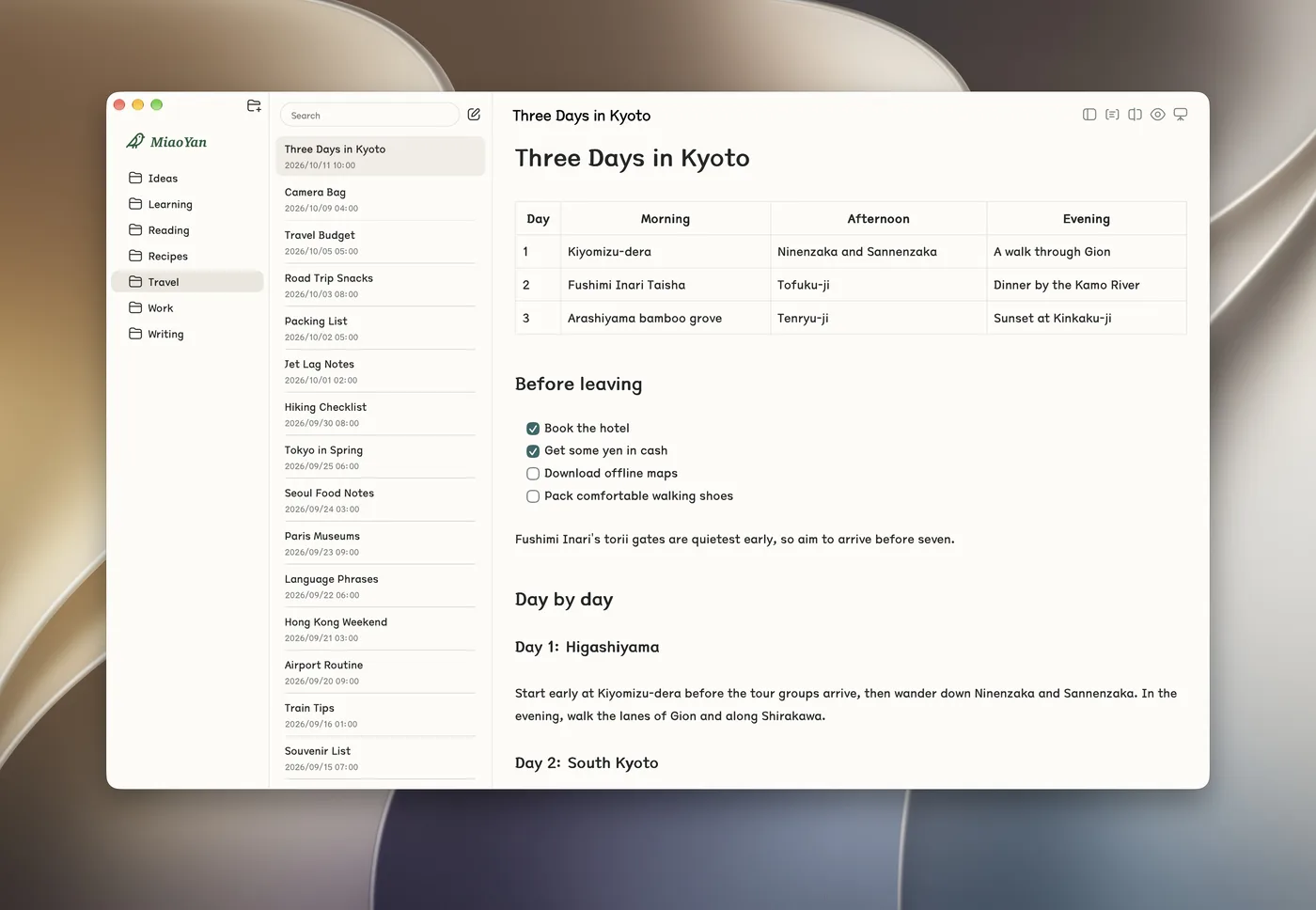
Open or paste Markdown and read it in MiaoYan's preview styling as you type, with math, code highlighting and Mermaid diagrams, then copy it with its styles or save it as Word, PDF, HTML or Markdown.
Copy with styles
Copy formatted puts the note on the clipboard with each element's style written onto the element itself, since documents, mail and CMS editors drop stylesheets and classes, so headings, quotes, lists, tables and code keep MiaoYan's look where you paste them. The quote bar becomes a left border, task boxes become ☐ and ☑, code keeps its indentation and line breaks, and Mermaid diagrams become images.
For someone who works in Word, Download Word saves a .docx laid out in the same styles, with formulas as Word equations; Markdown to Word has the details.
Writing in it
The shortcuts are MiaoYan's: ⌘B bold, ⌘I italic, ⌘K link, ⌘E inline code, ⇧⌘E code block, and ⌘S saves the Markdown as a file, with Ctrl in place of ⌘ on Windows. Return in a list or quote starts the next item, and Return on an empty one ends it. The two panes scroll together paragraph by paragraph, whichever one you scroll. Phone width lays the preview out at 375 pixels, the button at the end of the toolbar gives the editor the whole screen, and the word count follows MiaoYan's, one for each CJK character and one for each word of other text.
How close it is to MiaoYan's preview
The preview uses the stylesheets of MiaoYan's own preview, and its code highlighting, math and Mermaid come from the same files the app ships, so fonts, spacing, tables and code blocks look as they do in a note. The difference is the parser: this page reads Markdown with markdown-it and the app with cmark-gfm. Both follow CommonMark plus GitHub's tables, strikethrough and task lists, so only rare edge cases come out differently.
FAQ
Why are formulas copied as $...$?
A typeset formula needs KaTeX's fonts, which a paste cannot carry, so Copy formatted puts the formula's source on the clipboard. For a document with formulas, Download Word turns them into Word equations, or save it as PDF.
Why does an image not show?
A web page cannot read files on your computer, so an image with a local path such as images/a.png does not show; images with an https:// address do. Opened in MiaoYan, the same file shows its local images.
Is what I write saved?
Your last text stays in this browser for the next visit, until you switch browsers, use a private window or clear the site's data, so press ⌘S to keep anything that matters as a .md file. A file you open is read in your browser and never sent to a server.
What syntax does it support?
Headings, lists, quotes, tables, task lists, strikethrough, code blocks with highlighting, math with $...$ and $$...$$, and diagrams in mermaid code blocks. The Mermaid syntax is in Mermaid in Markdown.
Read and write it in MiaoYan
MiaoYan, a Markdown notebook for Mac, iPhone and iPad, keeps every note as a plain .md file, and this preview is drawn with its stylesheets.
View in App Store